Pixie Skin Doctor - Healing Game

Pixie Skin Doctor - Healing Game

Genre: Dress-up , Healing

Developer: Dryad Core Creations
Published: 2024-06-27
Updated: 2026-06-12

Reviews

Pixie Skin Doctor provides a calm and engaging experience for kids. The step-by-step healing process is easy to follow, and the magical theme keeps children interested. Each task, from laser treatment to hair removal, feels rewarding without being stressful. The game encourages empathy and careful attention, making it a valuable tool for learning through play. It offers good replay value as children enjoy repeating the healing steps. Overall, it is a well-designed, family-friendly game that promotes positive values.

Description

Game Introduction

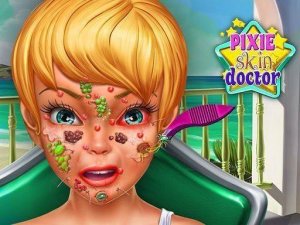
Pixie Skin Doctor - Magical Healing Game invites players into a whimsical land where a pixie has developed allergies after passing by some flowers. Your role is to help treat her skin at the hospital, using gentle tools to restore her flawless glow. This enchanting game combines creativity, care, and a touch of magic, making it a delightful experience for kids and families who love imaginative play. The core objective is to heal the pixie's skin through a series of fun, interactive steps, all set in a positive, family-friendly environment.

How to Play

Start by joining the pixie at the hospital and examining her skin. Use an interactive laser tool to carefully heal red spots, treating each area with precision. Next, remove magical fast-growing hair gently with provided tools. Follow on-screen prompts to apply soothing creams and finish with a final check to ensure her skin looks flawless. The game features simple drag-and-click controls, making it easy for players of all ages to enjoy. Complete each step to restore the pixie's beauty and happiness.

Game Features

Fun laser treatment for healing red spots. Magical hair removal with gentle tools. Soothing skin care steps with creams and final checks. Simple drag-and-click controls suitable for all ages. Family-friendly theme with no violence or scary content. The game may also include dress-up elements, allowing players to customize the pixie's appearance after treatment, adding a creative layer to the experience.

Tips for Success

Take your time with each treatment step to ensure precision. Follow on-screen prompts carefully to avoid missing any healing actions. Practice using the drag-and-click controls to become more efficient. Focus on completing each stage fully before moving to the next, as thorough care leads to the best results. Enjoy the process and embrace the magical, calming atmosphere of the game.

Compatibility


This H5 game runs smoothly on: • Desktop computers (Windows / Mac) • Mobile phones (iPhone / Android) • Tablets (iPad / Android) 🌐 Best experienced with Chrome, Safari, or Edge


Faq
Is Pixie Skin Doctor suitable for young children?
Yes, the game is designed for all ages, with simple drag-and-click controls and a family-friendly theme. There is no violence or scary content, making it a safe and positive experience for young children who enjoy imaginative, caring play.
What platforms can I play Pixie Skin Doctor on?
The game is typically available on web browsers and may also be found on mobile devices or tablets, depending on the developer's distribution. Check the official game page or app store for specific platform availability.
Does the game include any in-app purchases or ads?
This information is not specified in the provided details. Some free online games may include optional in-app purchases or ads, while others are completely free. It is best to review the game's description on its official site or store page for accurate information.
Can I play Pixie Skin Doctor offline?
The game's offline capabilities are not mentioned in the available information. Many browser-based games require an internet connection, while some mobile versions may offer offline play. Check the game's settings or official description for details.
Are there different levels or stages in the game?
The provided information describes a sequence of steps: healing red spots, removing magical hair, applying creams, and a final check. This suggests a structured process, but specific levels or stages are not detailed. The game may have a linear progression or multiple rounds.
What should I do if I get stuck on a step?
If you feel stuck, try following the on-screen prompts more carefully. The game likely provides visual cues or instructions for each action. You can also replay earlier steps to practice, as the controls are simple and forgiving. Taking a break and returning with fresh eyes may also help.
Advertisement